エピソード

  • The 365 Message Center Show - What’s new? | Ep 422
    2026/04/20

    While we have some interesting updates for SharePoint and using Copilot in Excel, we are most excited about how AI can help us keep up with messages in the M365 Message Center. Imagine being able to start a chat and ask about messages that impact you and how it might impact your organisation.

    0:00 Introduction

    3:01 Create and edit SharePoint pages with Copilot-powered AI - MC1282683

    8:43 Create charts on pages with AI in SharePoint - MC1282567

    13:11 Message center post structure updates may require admin script changes - MC1282308

    17:51 Modernized Change Management for Microsoft 365 - MC1282306

    29:24 Copilot entry point changes in Excel - MC1282571

    続きを読む 一部表示
    35 分
  • The 365 Message Center Show - What’s new? | Ep 421
    2026/04/20

    Just a short episode to share some easier ways of managing views in Teams Chat and Channel sections, Teams meeting recaps without transcripts, and Microsoft Whiteboard content in Purview.

    0:00 Introduction

    2:20 Microsoft Whiteboard content is now viewable in Microsoft Purview eDiscovery - MC1273444

    5:02 Microsoft Teams: Quick access to read items while using unread only mode - MC1274550

    10:59 SharePoint Advanced Management: Delegate management of Restricted Access Control (RAC) to site admins - MC1274323

    14:24 Microsoft Teams: AI meeting recap without transcript to meet compliance policies - MC1275312

    続きを読む 一部表示
    22 分
  • The 365 Message Center Show - What’s new? | Ep 420
    2026/04/06

    Teams learns to read the sign and honour Windows Do Not Disturb. SharePoint learns a new skill in providing skills to AI. Claude and OpenAI models critique each other to get better research results.

    0:00 Welcome

    2:46 OneDrive: Files deleted from the cloud will no longer appear in the local Recycle Bin or Trash - MC1269861

    7:10 Microsoft Teams: New experience when users minimize the meeting window - MC1266027

    10:09 Auto Critique and Model Council features in Researcher (Frontier program) - MC1265765

    17:54 Microsoft Teams: Honor Windows “Do not disturb” setting - MC1269215

    21:36 Extending AI in SharePoint using custom skills - MC1269209

    27:58 Microsoft Teams: New chat sections for muted and meeting chats - MC1269864

    続きを読む 一部表示
    34 分
  • The 365 Message Center Show - What’s new? | Ep 419
    2026/03/30

    Planner is now supported in private and shared channels. This will be ideal for simple projects involving other people in your organisation. There's also another way to recap meetings, with video. Watch the Copilot-selected highlights and decide what parts to of the full meeting you want to take a closer look at.

    0:00 Welcome

    02:39 Microsoft 365 Copilot: Introducing Federated Copilot Connectors - MC1259822

    06:27 Introducing video recap for Microsoft Teams meetings - MC1261588

    13:24 SharePoint Advanced Management: Site admin control for restricted content discovery - MC1259825

    18:35 View and edit Markdown files in OneDrive and SharePoint - MC1261592

    21:03 Planner tab support for Shared and Private Channels in Microsoft Teams - MC1262590

    23:59 Microsoft 365 Copilot: Admins will be able to enable third‑party model providers for specific users and groups - MC1263276

    続きを読む 一部表示
    28 分
  • The 365 Message Center Show - What’s new? | Ep 418
    2026/03/23

    It's going to be easier to identify bots joining your meetings with a dedicated section singling them out. SharePoint and OneDrive agents will soon allow a list to be a source for your chats. This week we also chat about two confusing messages that announced the removal of agent capabilities in M365 apps for people without an M365 license.

    0:00 Introduction

    2:26 New admin control for AI‑generated code previews in Microsoft 365 Copilot Pages - MC1254560

    6:15 Copilot Notebooks: New features coming to Frontier Public - MC1254552

    11:00 Designer tools in Copilot - MC1256040

    15:34 Microsoft 365 Copilot Chat - Updates to Copilot in Word, Excel, PowerPoint, and OneNote - MC1253858

    18:40 Microsoft 365 Copilot Chat - Updates to Copilot in Word, Excel, and PowerPoint - MC1253863

    22:12 Lists as a knowledge source for agents in SharePoint and OneDrive - MC1255409

    24:53 Whiteboards created in Teams channels will now be stored in SharePoint - MC1253753

    27:04 Microsoft Teams: Identify external bots joining your Teams meetings - MC1251206

    続きを読む 一部表示
    31 分
  • The 365 Message Center Show - What’s new? | Ep 417
    2026/03/16

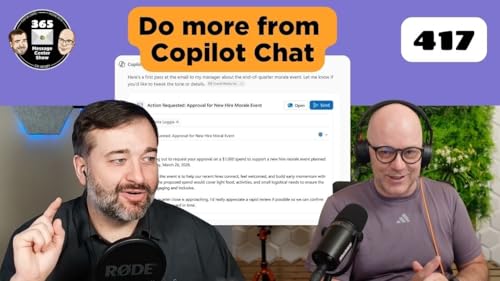
    This week we look at some of the Copilot pieces coming together for Microsoft 365 Copilot Cowork. Claude Sonnet will bridge the gap between coding and natural language task sequencing. Drafting email from a Copilot Chat and sending it, takes us a step closer to Copilot being the UI for AI that might replace the UI for applications altogether. But is that a good thing?

    0:00 Welcome

    2:17 Microsoft Outlook: Copilot Chat available in shared and delegate mailboxes - MC1246031

    7:17 Microsoft Agent 365 Generally Available May 1, 2026 - MC1247364

    11:31 Anthropic Claude Sonnet is now available in Microsoft 365 Copilot - MC1247880

    16:01 SharePoint: AI citations analytics for documents and pages - MC1247902

    23:54 (Updated) Microsoft 365 Copilot: Draft and send Outlook email directly in Copilot Chat - MC1247637

    29:37 Sensitivity labels available soon for Viva Engage communities - MC1250283

    続きを読む 一部表示
    35 分
  • The 365 Message Center Show - What’s new? | Ep 416
    2026/03/09

    What a great way to celebrate 25 years of SharePoint - a makeover. The new look menus and SharePoint home encourage discovery of content, publishing new pages and posts, and building sites, lists and more. Happy Birthday SharePoint. Also on this week's show

    0:00 Welcome

    1:35 Introducing the new SharePoint experience - MC1240699

    11:07 Copilot entry point changes in Word and handoff to Agent in chat - MC1240704

    13:22 Microsoft 365 Copilot: Updates to PowerPoint on‑canvas features with Agent mode - MC1243550

    18:32 Workspace IP Firewall rules (Public Preview) - MC1238430

    23:23 Microsoft 365 Copilot: Turn Copilot Pages into SharePoint News posts - MC1239186

    26:20 Targeted file and folder restores in Microsoft 365 Backup - MC1245216

    29:15 Upcoming change: disabling Teams meeting recording notification emails - MC1245635

    続きを読む 一部表示
    36 分
  • The 365 Message Center Show - What’s new? | Ep 415
    2026/02/27

    Microsoft Teams is having a "Simply Red" moment and it's leaving some people seeing red. Microsoft are removing the labels from the apps on the app rail. Because 🎵 if you don't know them by now, you will never never never know them.🎵 (Ref: https://youtu.be/zTcu7MCtuTs?si=AYbidLv-ZnCPnG0z&t=15)

    Also on this week's episode:

    0:00 Welcome

    1:41 Simplified Teams app bar to create a cleaner and more focused experience - MC1234559

    5:20 App names hidden in app bar for a cleaner, more focused experience - MC1226220

    9:59 Outlook: retiring “Contact Masking” (hide suggested recipients) - March 31, 2026 - MC1234566

    14:52 Microsoft SharePoint: Use SharePoint quick steps to automate common tasks and workflows with new column type - MC1234549

    22:01 Microsoft Teams: Upcoming changes to Microsoft Places licensing and feature access - MC1235124

    28:47 Microsoft Teams: New controls for quick views in the chat list - MC1234574

    32:32 Microsoft Teams on Windows: Annotate content while sharing a single window - MC1234561

    続きを読む 一部表示
    35 分